
InvokeAI — Free AI Image Generator Online
InvokeAI gives you a simpler way to use Stable Diffusion-style models in your browser — no install required.
Free. No download. First image in under 30 seconds.
InvokeAI Text-to-Image Generator
Describe the image you want — InvokeAI renders it in seconds, powered by Stable Diffusion-family AI.
The AI model is waking up — the first run takes 30 to 60 seconds...
What InvokeAI Does for You
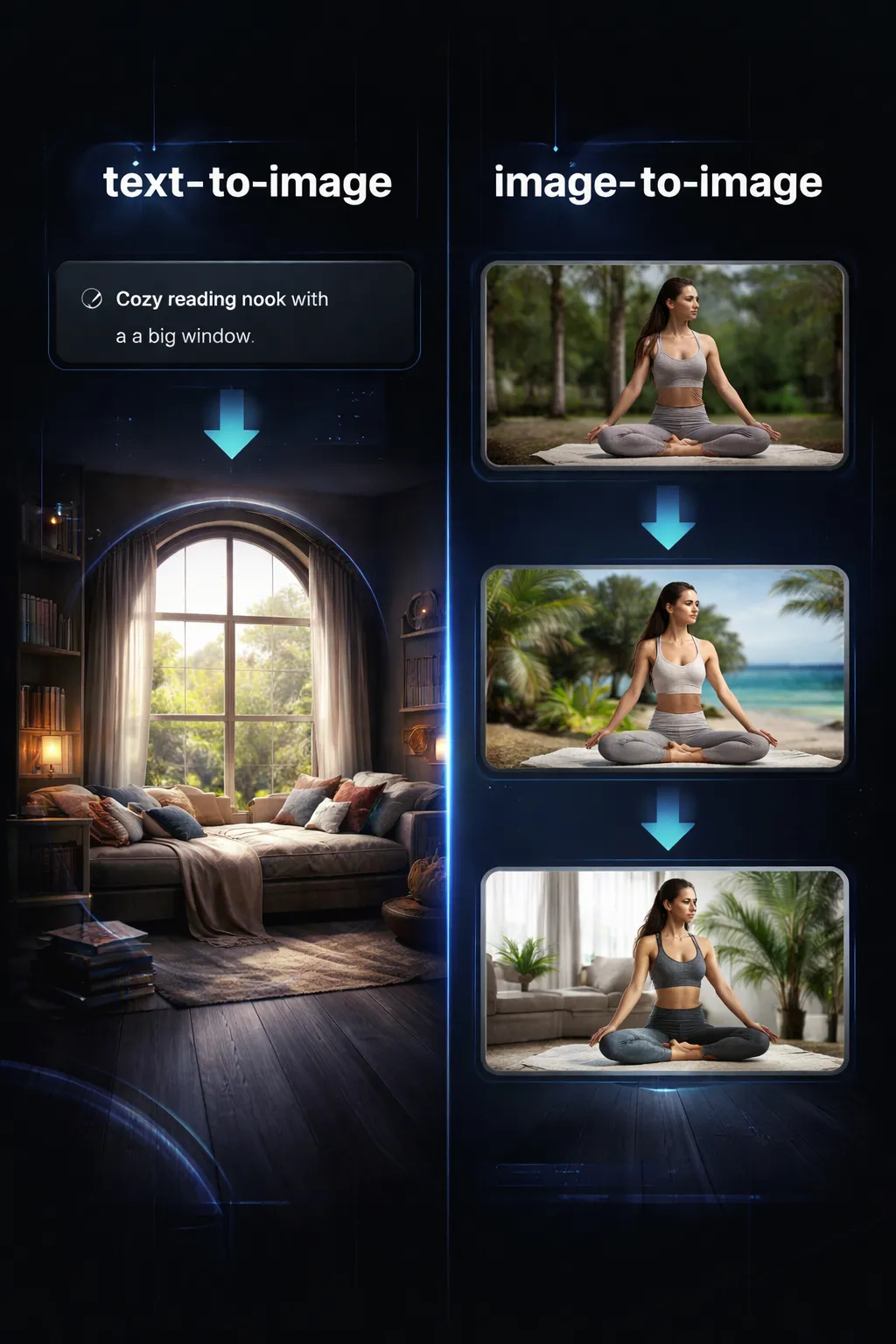
You bring the prompt or the reference image. InvokeAI turns it into a finished visual — no software install, no design skills, no subscription.
- From a Prompt to a Finished ImageDescribe a scene, a product, or an idea — rendered in seconds. Use it for social posts, ad visuals, blog graphics, or mood boards.
- Edit Any Image with a PromptUpload a reference image and tell the AI what to change — new style, new background, new composition. Keep what works, rewrite what doesn't.
- No Software, No Signup, No WatermarkNo account. No credit card. No install. Open the page, pick a tab, download your image.
- Your Files Stay PrivateImages and prompts are processed in real time and never stored. Nothing you submit is saved, viewed, or shared.
Why Creators Choose InvokeAI
You don't need a GPU, a local Stable Diffusion install, or a monthly AI subscription. InvokeAI just needs a browser and a good idea.

How InvokeAI Works — 3 Steps
From idea to finished image — here's how InvokeAI works in under a minute.
Pick Your Tool
Choose text-to-image if you have an idea, or image-to-image if you have a reference. Both are free on InvokeAI.
Describe or Upload
Type a short prompt describing the image you want, or drop in a reference image and tell the AI how to change it.
Download Your Image
Preview the result and save it. Use it on your store, in a pitch deck, on social media, or in your next marketing asset.
What Powers InvokeAI
The AI models and capabilities behind every image InvokeAI generates.
Text-to-Image from a Single Prompt
Describe a scene in plain English — InvokeAI generates a detailed image with realistic lighting, composition, and style, powered by Stable Diffusion-family models.
Image-to-Image Editing
Drop in a reference image and instruct the AI to change the style, mood, or subject. Keep the composition, swap the look.
Under 30-Second Generation
Most images are ready in 10–30 seconds. No queue, no batch wait — your prompt starts processing immediately.
No Daily Limits
Generate as many images as you need. No caps, no throttling, no "upgrade to continue" popups on InvokeAI.
Multiple Creative Workflows
Product visuals, social posts, illustrations, brand assets, concept art — one tool covers the scenarios you actually use.
Works on Any Device
Desktop, tablet, or phone. Generate an image on your commute and download it before your meeting.
InvokeAI at a Glance
Free tools, real results.
2 AI Image Tools
AI Image Tools
100% Free, Forever
Free, Forever
< 30 sec Per Image
Per Image
See InvokeAI in Action


Frequently Asked Questions About InvokeAI
Quick answers about how InvokeAI works, what it costs (nothing), and what you can create.
Start Generating AI Images with InvokeAI
Two AI image tools. Zero cost. Pick one and create your first image in under 30 seconds.